|
Part
8, Finishing it all off
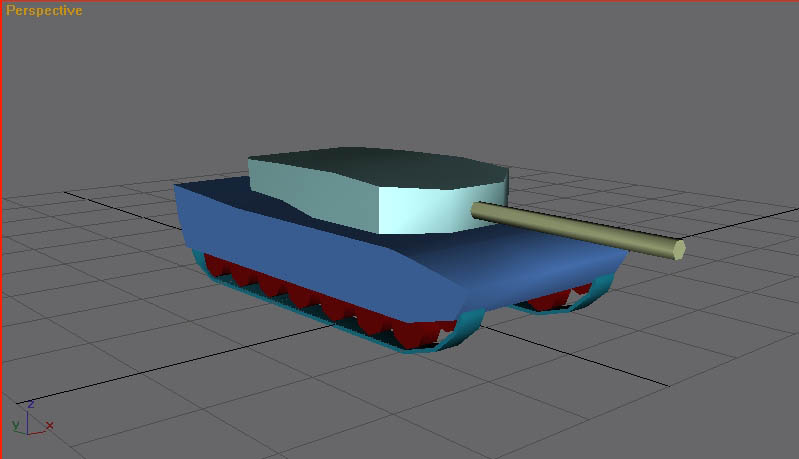
By now you should have a tank! Wow, thought it wouldn't happen did you? Well, it aint bad for a first go!
And with some refinement and details added using
ways told in this tutorial we have this!
Tadaa!! It's a German Leopard 2A1 Main Battle
tank! Well, sorta. I kinda rushed it to get this tutorial done. The final poly
count is 1032. This is too high for Generlas, but excellent for Renegade.
With a few more refinements, such as the deleting of polys that can't
usually be seen, the poly count can be reduced considerably.
But it can still be used for Generals! Save it as
Renegade tank, then save it as Generals tank. On your Generals tank, delete
the wheels and treads! Throw em all away without remorse (besides, they're
safe in the renegade tank file!) and replace them with a cylinder or box!
The wheels can then be painted on with your texture!
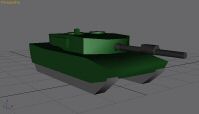
There we go. All I did here was delete all the
wheels and the two treads, and replaced them with a pair of 6 sided
cylinders, streached out just like the treads. Suddenly the poly count has
dropped to just 344! This is perfect for Generals, and what's better the
count can still be reduced more as I haven't bothered with beleting unseen
polys yet!
One last thing we need to do. Look at the size of
the tank. It's massive! You can tell by the grid on the floor. The American
Crusader tank takes up barly 2x2 squares of the grid. Renegade tanks are
even more smaller! How do we fix this? Simple.
Drag select everything and hit the 'Select and
Uniform Scale' button on the main toolbar. Click and hold on the model and move your mouse down and shrink the model down to a good size. There,
perfect size for Generals. Remember to move it down to the ground again or
else it will be floating around, unless you're making a hover tank that
is, oh yea, and SAVE! :) The
Final Words
|