|
Part
4, Mutating your thingy
1.
Now the editable mesh modifier is applied, we can mould our cube into a new
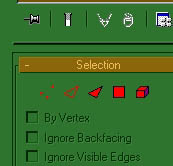
shape. It's a bit like sculpturing. On the command bar 5 important buttons
have appeard under the modify tab. They are Select by Vertex, Edge, Face,
Polygon and Element
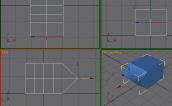
2. Hit the 'Edge' button and click on one of the
lines in your cube. It shows up red and you can move this line around when the
'Select and Move' tool is selected on the main toolbar. When you hold the
Ctrl key down you can add other lines to your selection. Select the two
lines at the front of your cube like I have.
3. Then move it forwards. When you do this, put
your cursor over the arrow pointing along the axis that you want to move the line so the stick turns orange. This restricts the movment to that axis so
it wont go all over the place.
4. Now w ith the select by 'polygon' button,
select all the squares on the top of your cube, remember to use the Ctrl
button and make sure you hit the 'Select Object' tool first (white cursor in
main toolbar) so you dont move anything while selecting them.
5. Move the squares down, then I'll show you my
favrouite way of editing meshes.
Save
and proceed to Part 5
|